Customer service platform on WhatsApp for small businesses

Serve your customers on WhatsApp with your team and an assistant, from one inbox.

You connect your business's WhatsApp Business number. Your team replies from a shared inbox, and an assistant answers from your business information and hands the conversation to a person.

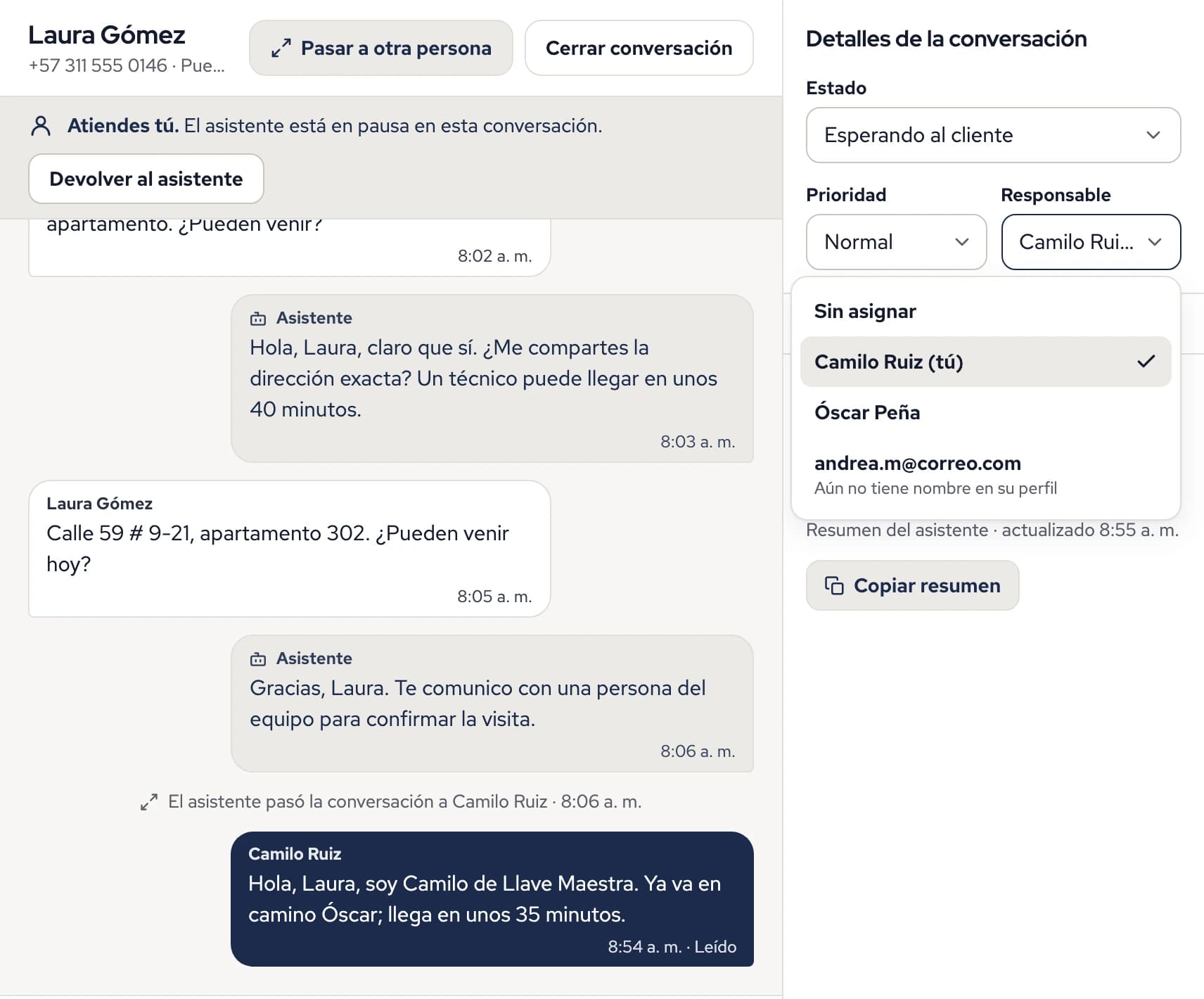
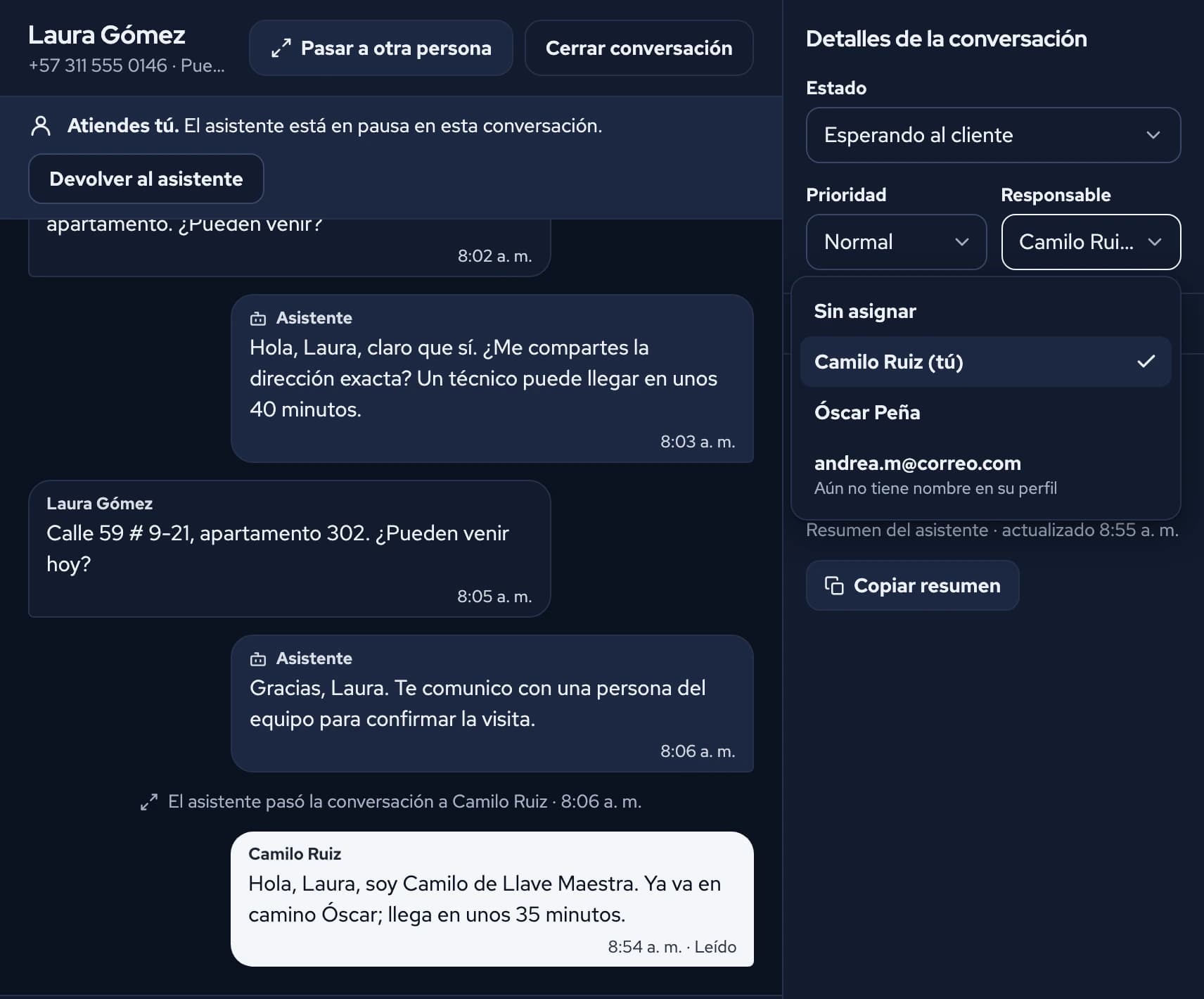
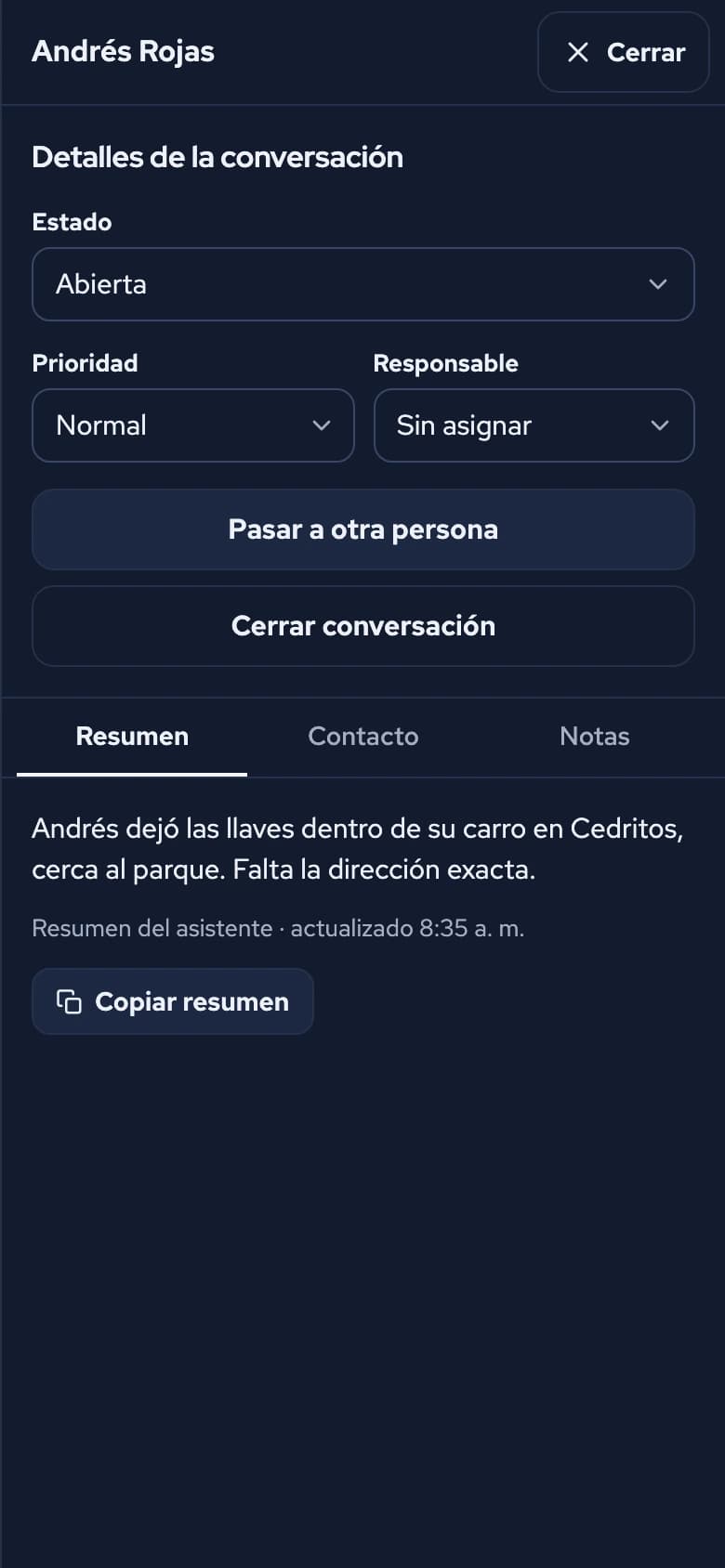
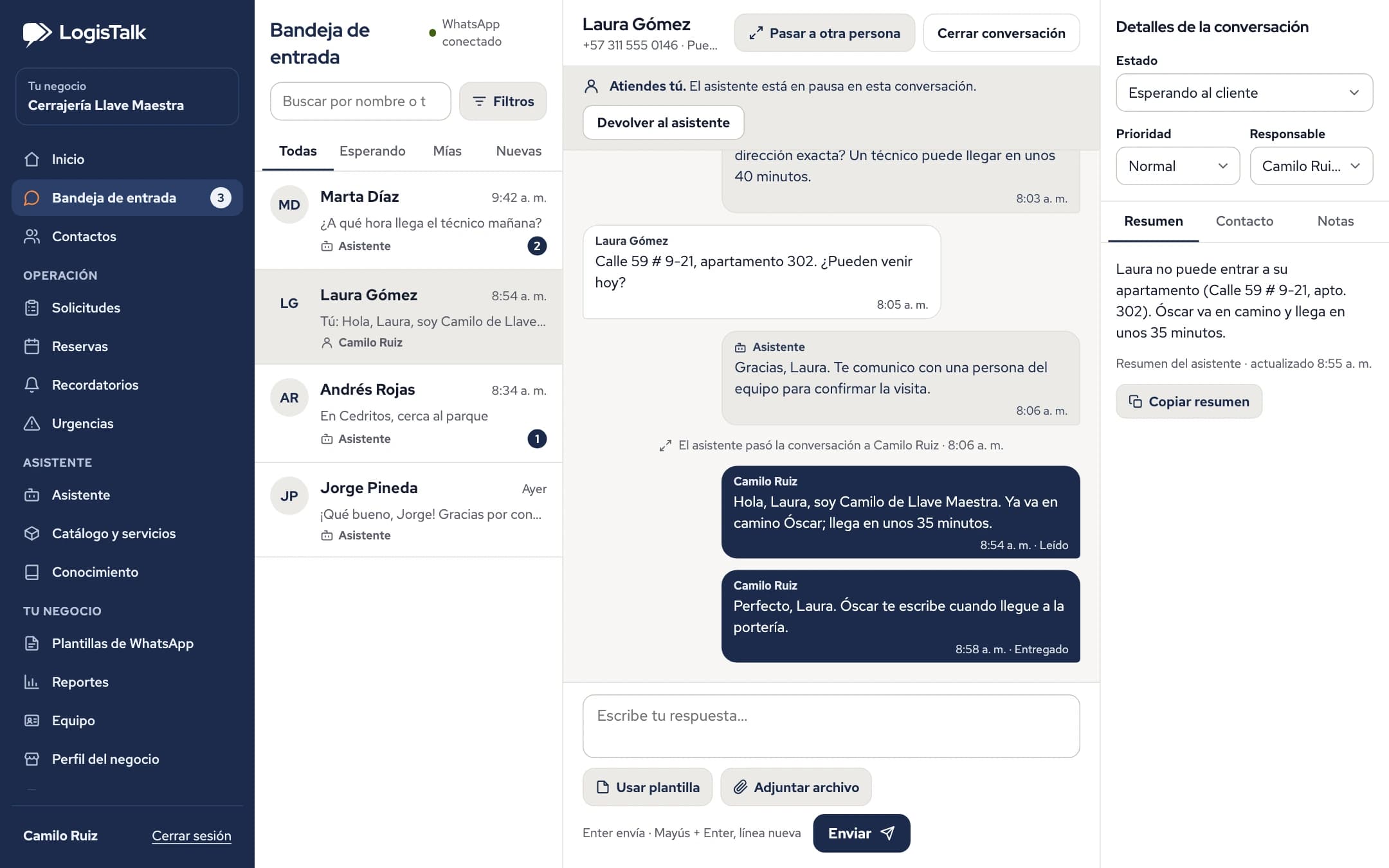
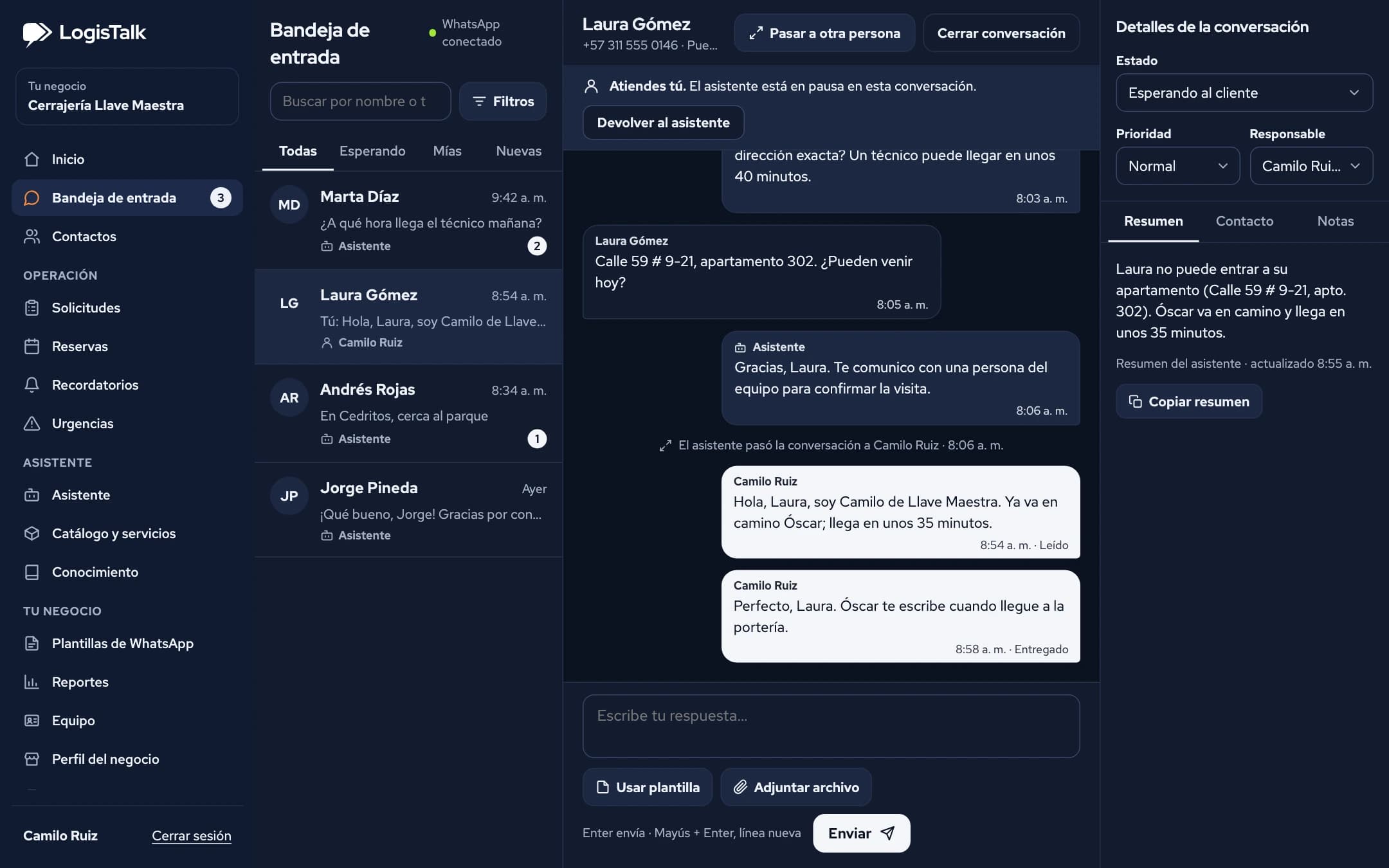
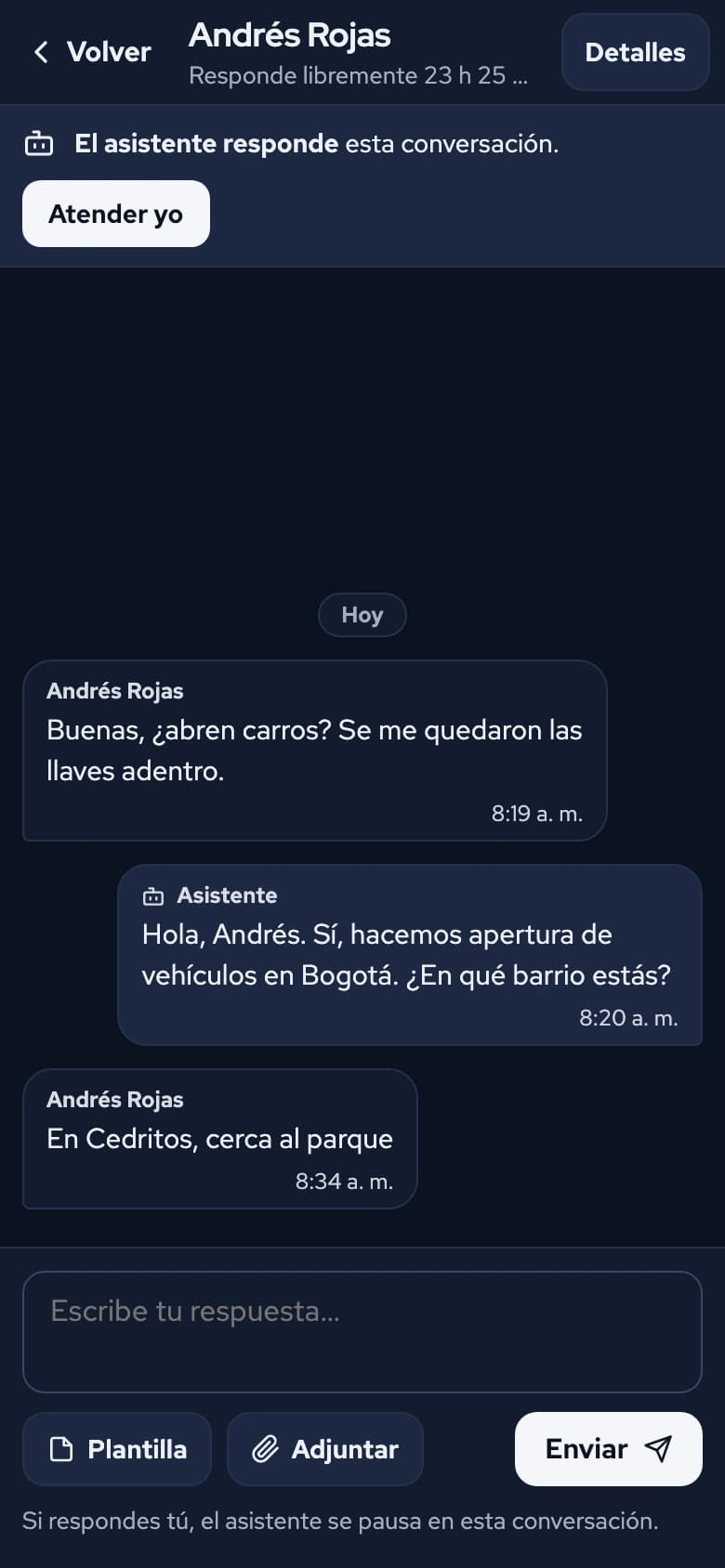
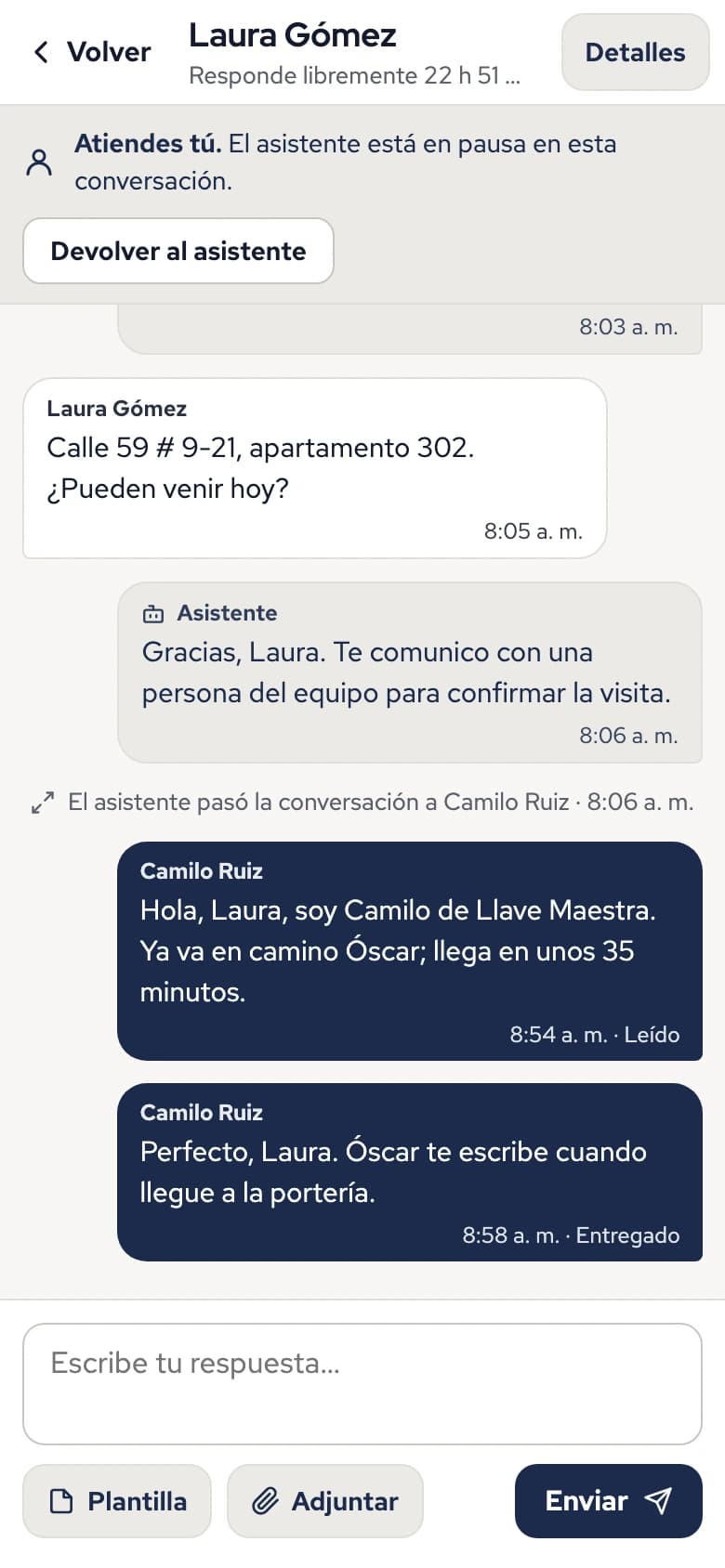
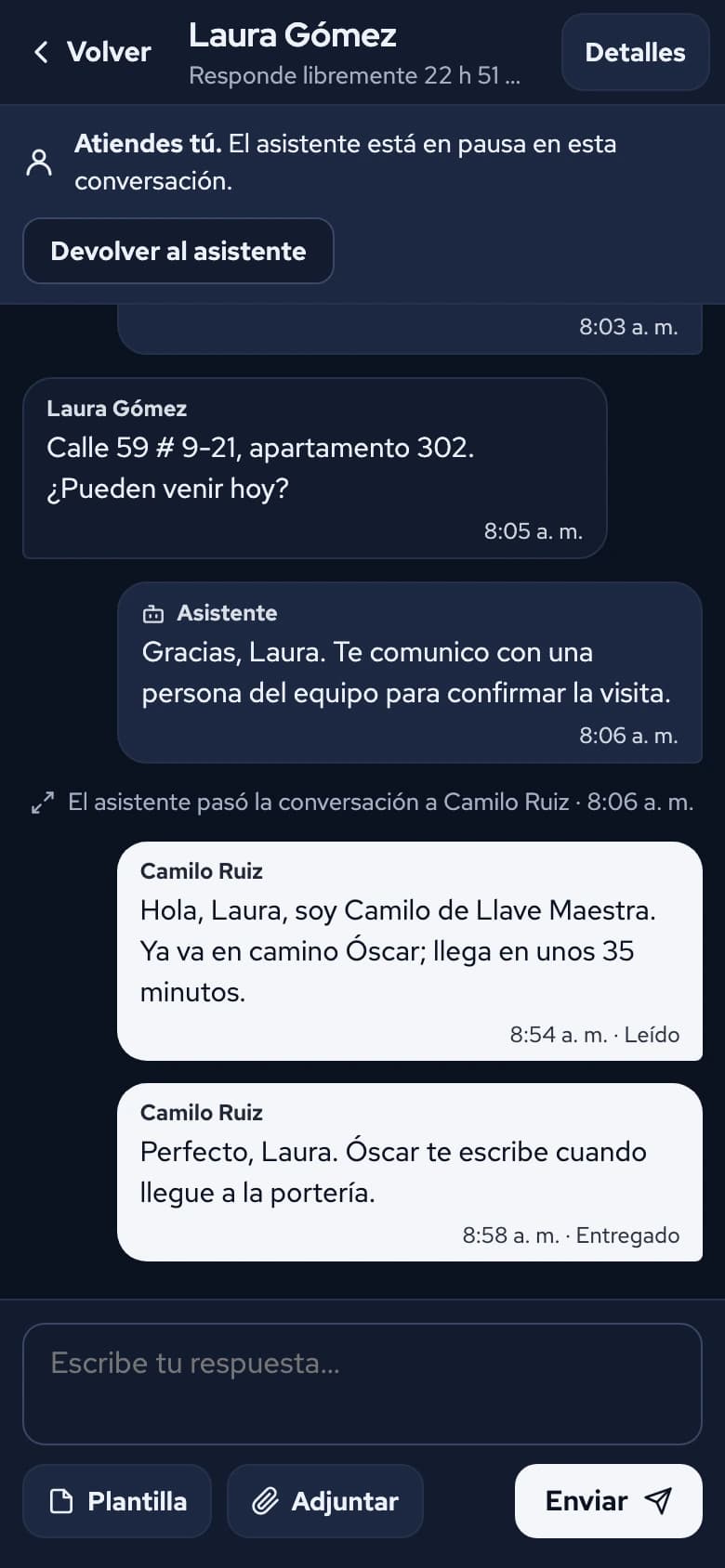
LogisTalk inbox: the assistant answers a customer, hands the conversation to a team member, and that person continues the conversation.

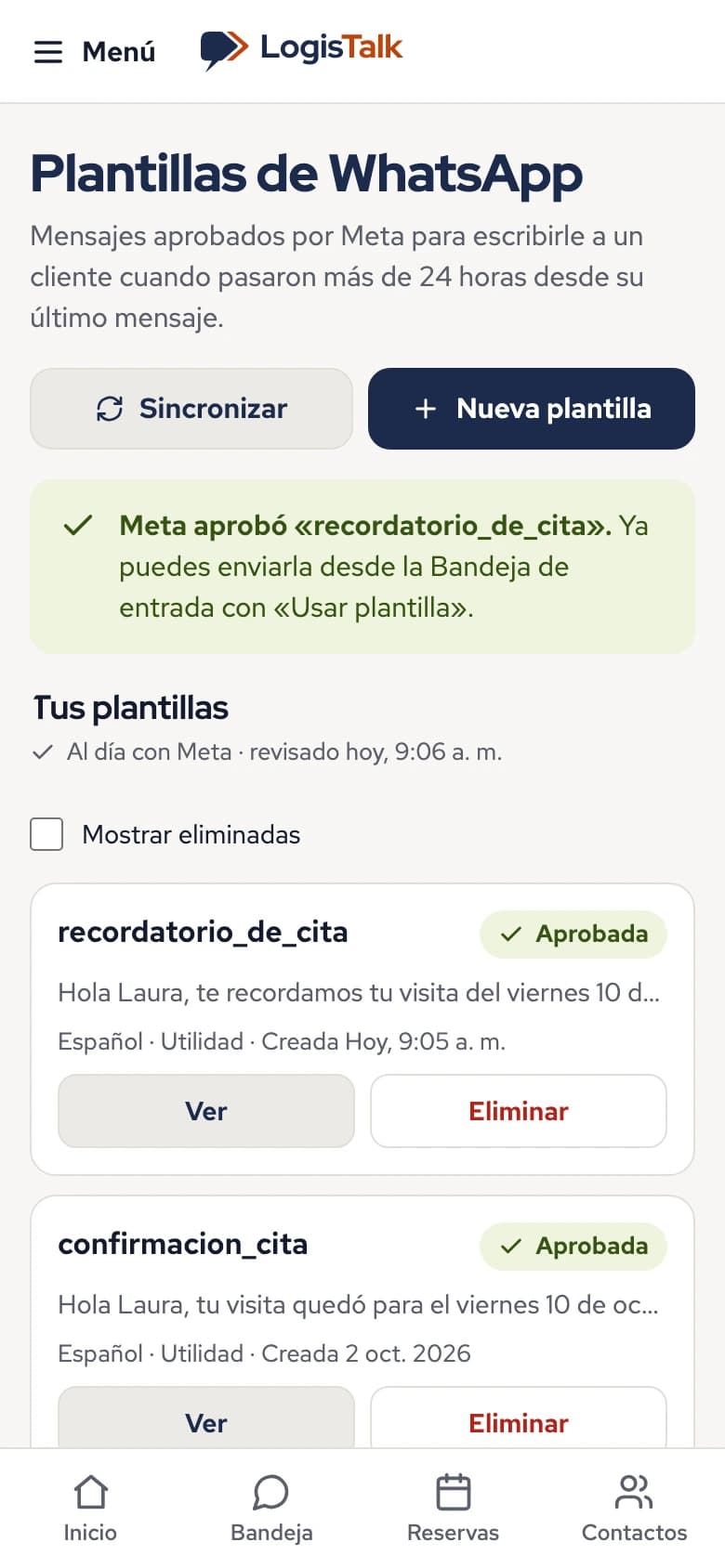
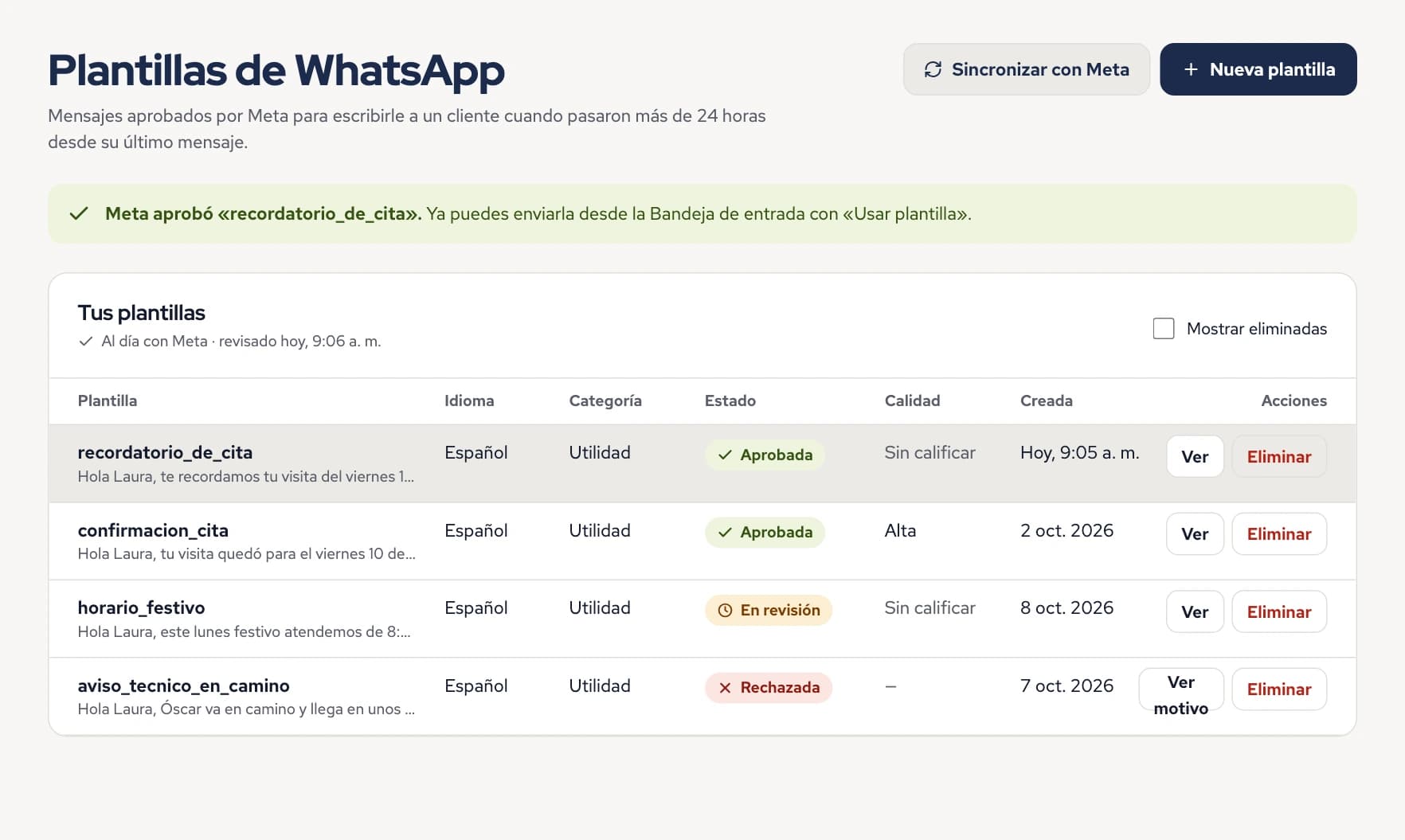
LogisTalk screens in Spanish, the language of the app today, with sample data from a fictitious business, Cerrajería Llave Maestra.

How it works

Three steps to get started.

  1. Connect your number

    Each business connects its own WhatsApp Business number, following a few guided steps inside LogisTalk.

  2. Tell it about your business

    Add your services, opening hours and documents. The assistant answers with that information.

  3. Serve customers with your team

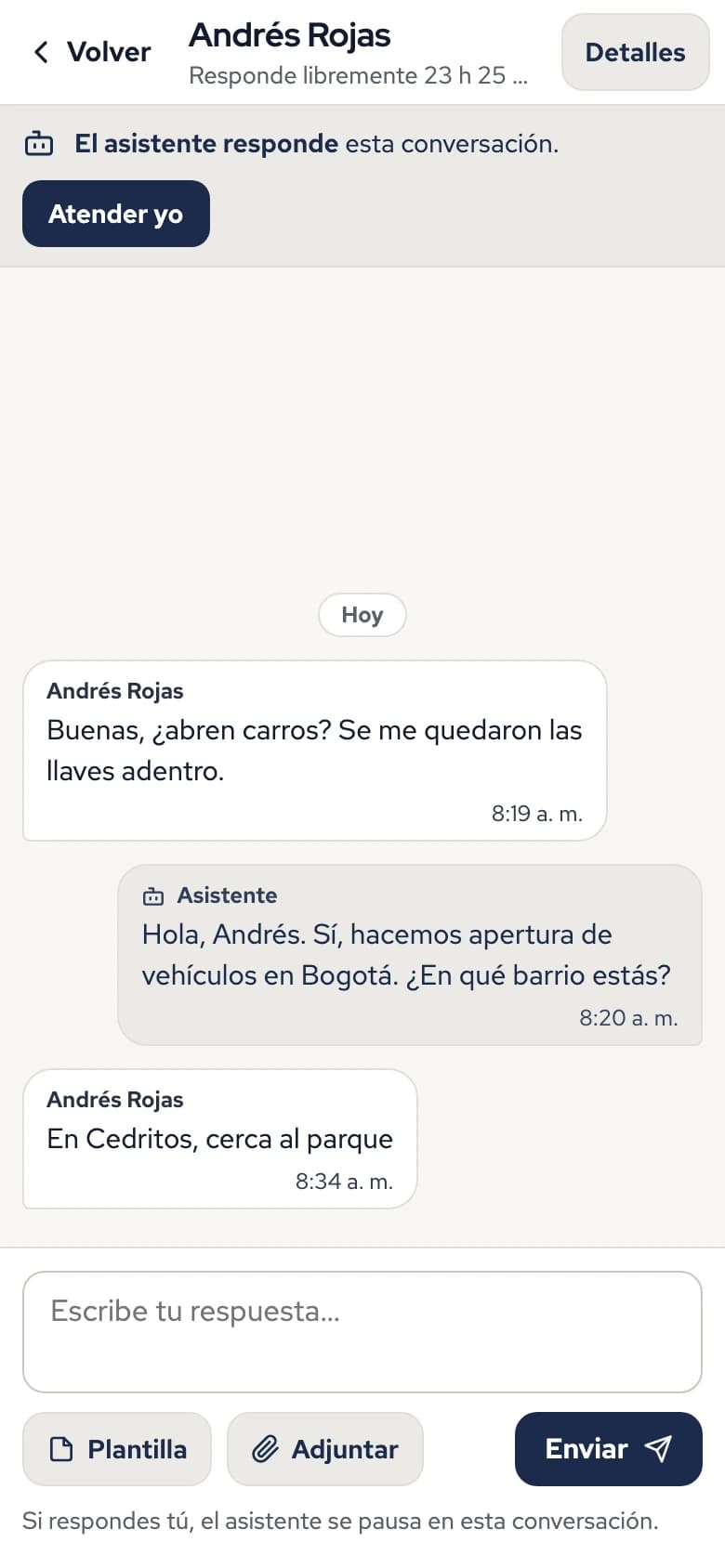
    The assistant talks with your customers. You see everything in the inbox and take over any conversation with «Atender yo» (Take over).

Shared inbox

Every conversation, visible to your whole team

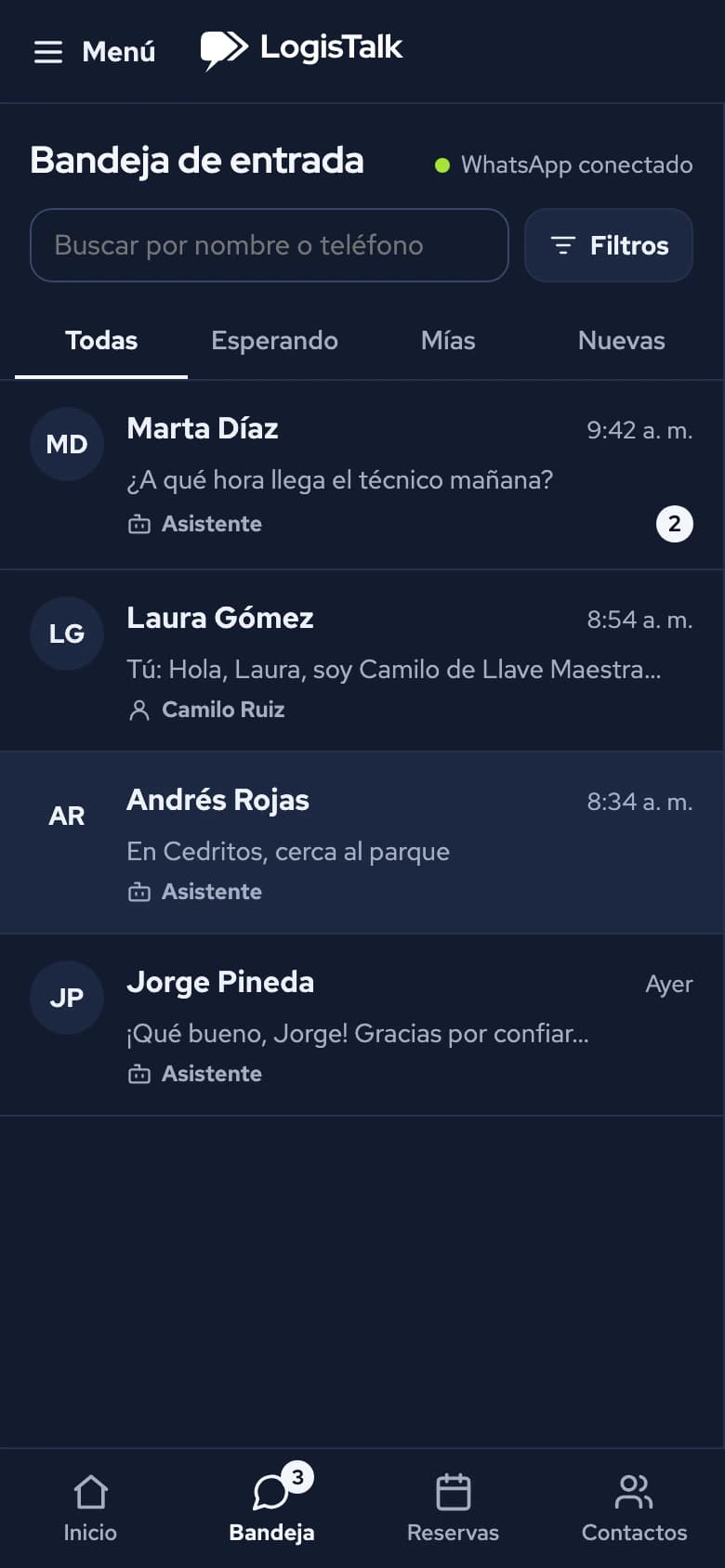
  • You always know who is answering: the assistant or a person.
  • Take over a conversation with one button and hand it back to the assistant when you are done.
  • Pass the conversation to another team member.
  • See how much time is left to reply freely before WhatsApp's 24-hour window closes.
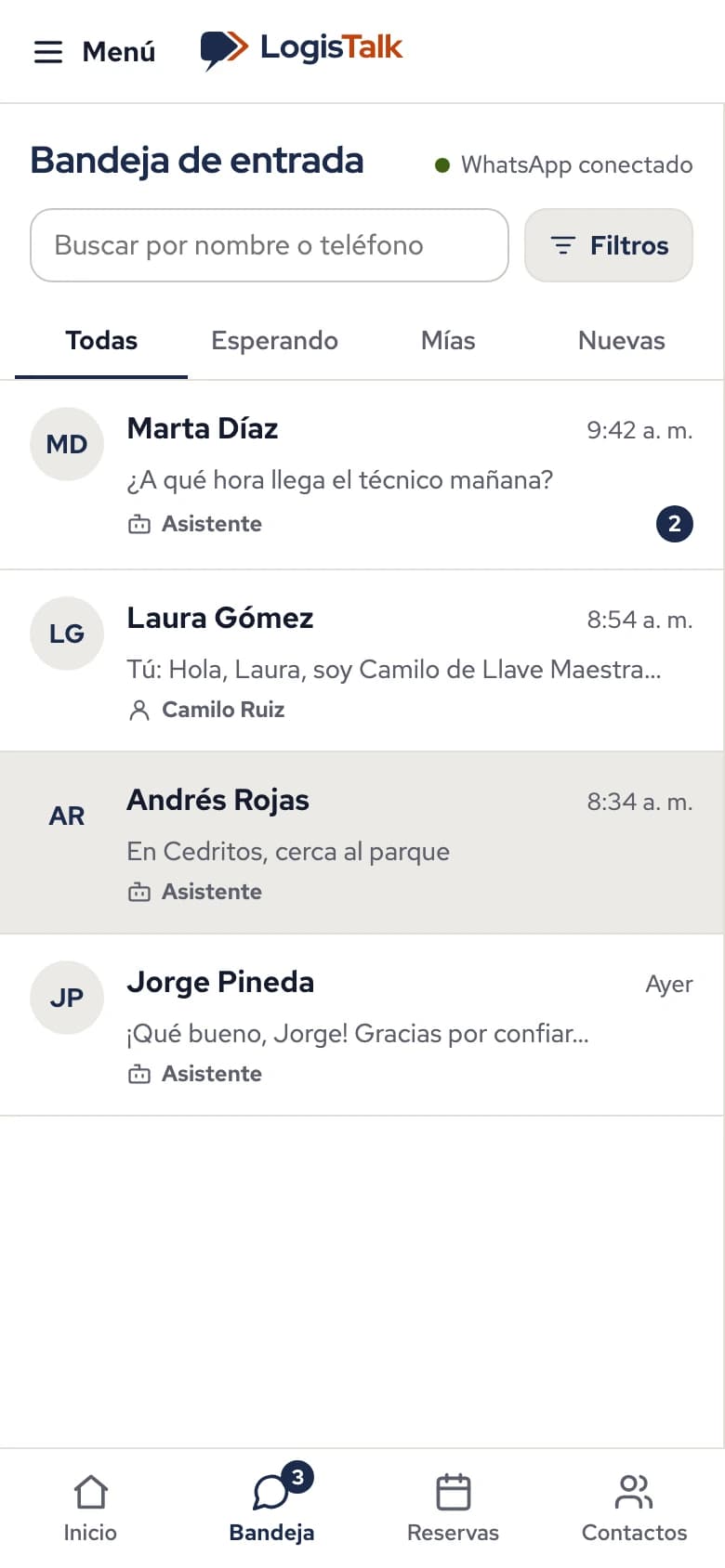
Conversation list on a phone; each one shows whether the assistant or a person is answering.

Assistant

An assistant that answers from your business information

  • Answers with your services, opening hours and documents.
  • Only handles topics about your business.
  • When a person is needed, it passes the conversation to your team.
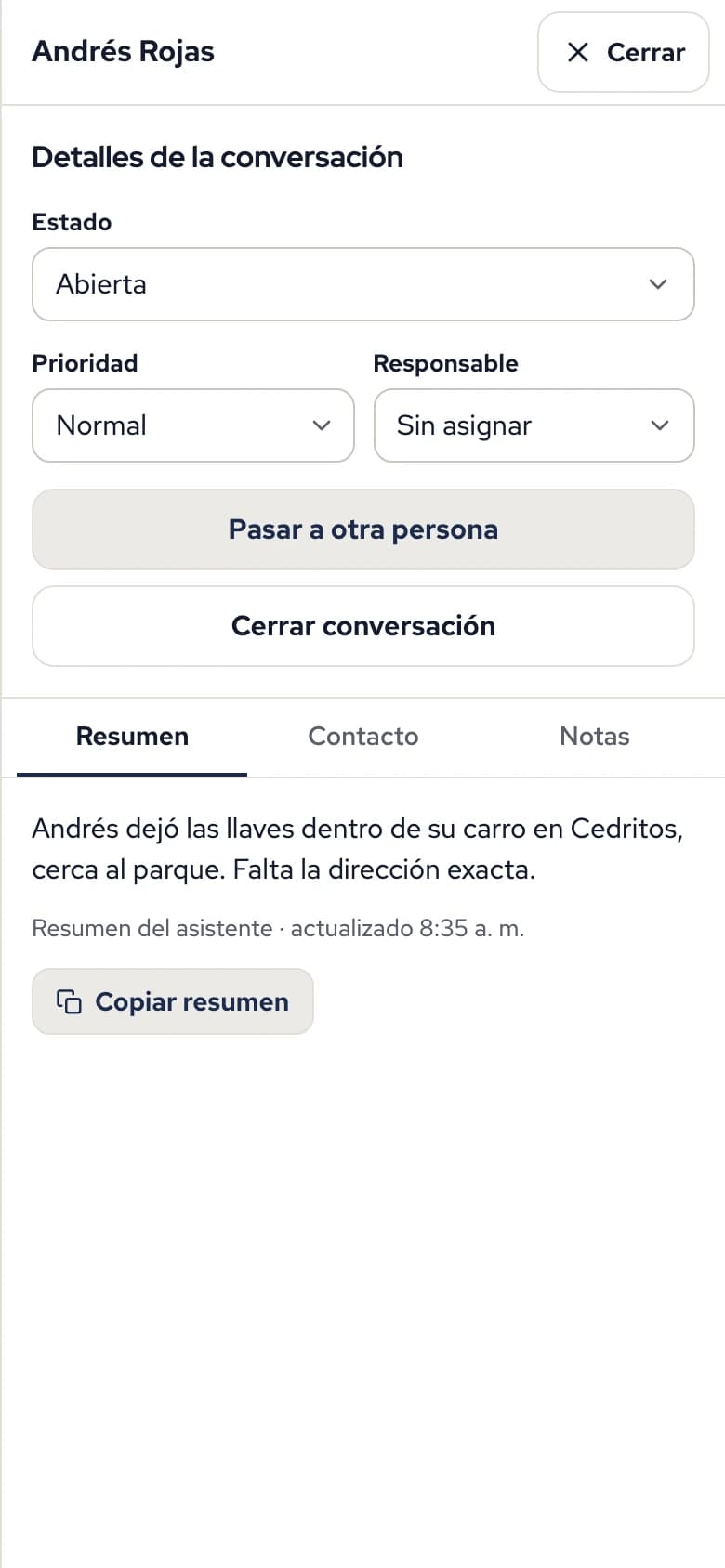
  • Leaves a summary of each conversation so nobody has to read it all.
A conversation on a phone: the assistant answers a customer and the «Atender yo» (Take over) button is shown.

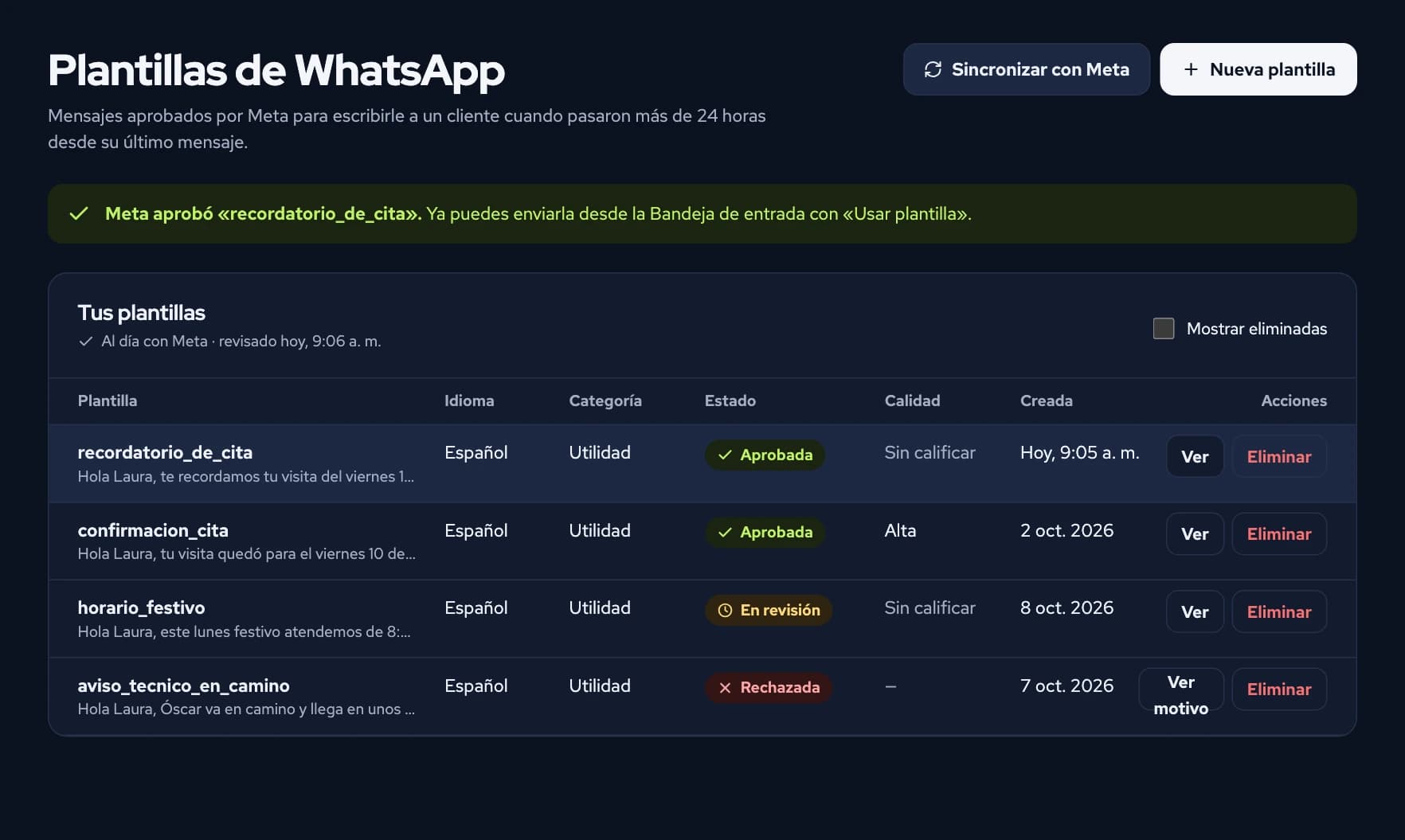
Message templates

Create and send your own templates, such as an appointment reminder

  • Create your templates and send them for Meta's review without leaving LogisTalk.
  • See their status in plain words: in review, approved or rejected, and why.
  • Use them inside the conversation with «Usar plantilla» (Use template).
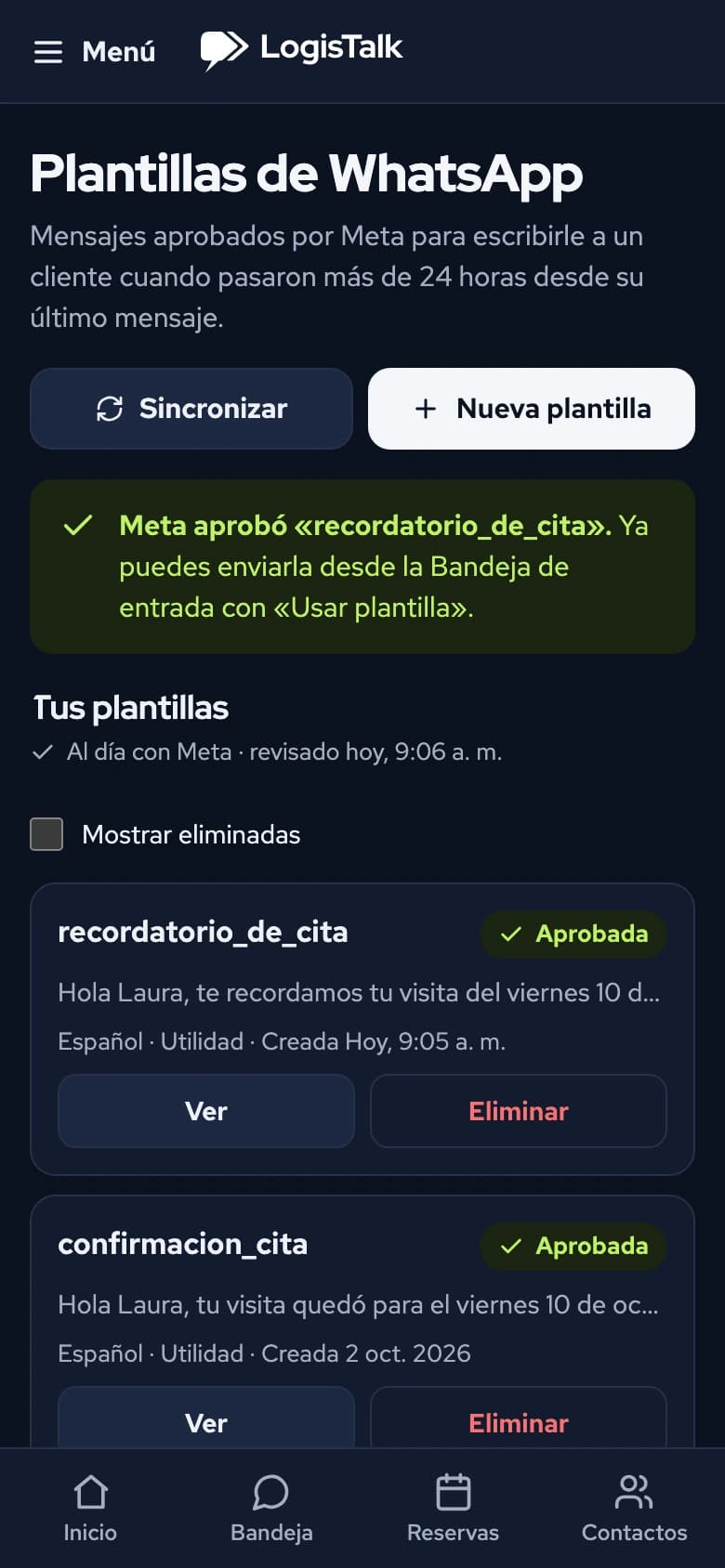
Templates screen with the status of each one: approved, in review or rejected.

And also

  • Contacts

    Each customer with their conversation history.
  • Team and permissions

    Each person sees and does only what they should.

How we look after data

In the words of our privacy policy:

  • «AES-256-GCM encryption of each business's credentials»
  • «Separation of each business's data; permission-based access control»
  • «We do not use conversation content to train or improve artificial-intelligence models»

Read the privacy policy

Frequently asked questions

What if the assistant does not know what to answer?
It passes the conversation to a person on your team, who sees it in the inbox and continues from there.
Can I reply myself?
Yes. In any conversation you tap «Atender yo» (Take over) and the assistant pauses there until you hand it back.
Does it work for my kind of business?
LogisTalk adapts to different kinds of business. We are starting with service businesses, such as locksmiths. If you serve customers on WhatsApp, write to us and we will look at it with you.
Do I need to install anything?
No. LogisTalk runs in the browser, on a computer or a phone.
How do I get access?
Access is by invitation. Request a demo and, if LogisTalk fits your business, we send you an invitation to create your account.

Want to see it with your own business data?

We show you LogisTalk and answer your questions.